







.png?width=400&height=166&name=Webinar%20-%20June%202026%20-%20Conflicts%20(1).png)






.png?width=400&height=166&name=Compliance%20Monitoring%20White%20Paper%20(1).png)

























.png?width=400&height=166&name=Complaints%20checklist%20(1).png)
.png?width=400&height=166&name=Checklist%20regulatory%20checklist%20(1).png)














We're pleased to announce that Ruleguard version 4.102.0 is now live!
This update contains the following changes:
Solutions, Incidents and Breach Management
- Added separate permissions for Issue Comments, allowing access to comments to be controlled independently from access to the Issue itself. This gives administrators more control over who can view or edit comment activity.
Regulatory Change Management
- Regulatory Update Tasks can now be assigned to user groups as well as individual Users. This makes task ownership easier to manage for teams and helps assignments stay aligned as group membership changes over time.
Supplier Oversight
- When launching a scheduled automation, the platform now shows whether a matching automation already exists (helping to prevent unnecessary duplicates).
- Users can now update the next due date on a scheduled automation after it has been created, while the original start date remains fixed once the automation has run.
- Added support for updating a firm date field from an automation’s next assessment date.
- Added a new read-only field configuration option. This allows fields to be displayed with their values while preventing edits, which is useful where information should be view-only.
- Added a dedicated Automation Log page under Admin for reviewing automation activity (for example, scheduled automations used in Supplier Oversight). The log is searchable and includes key details such as automation name, date and time, details, and status.
General
- Added last comment information to the Events Grid for tasks, attestations, and workflows, including a last comment column, filtering, and last comment date/time in MI.
- Improved MI cards by making it clearer when a card is showing only a preview and can be expanded, so that you can access the full breakdown more easily when a dashboard tile contains more categories than are visible at first glance.
- Added an “Is logged in user” filter to Events Users MIv2, making it easier to build personalised dashboards and reports that show data relevant to the person currently using the platform.
- Added start and end dates for person-mapped SMF tags in MI reporting to better surface accountability role timelines.
- Updated the Permission Roles Matrix and role card so blocked users are no longer counted in active user totals by default (they can still be viewed if required).
- Resolved an MI issue whereby 'Is missing evidence' tabular reporting was unnecessarily duplicating rows.
- Fixed an MI issue where tables set up to show tasks due today could also include end-of-month tasks.
- Fixed an issue where searching for a linked item that did not exist could cause the page to enter a loop instead of showing a “not found” result.
- Fixed an issue where calculated fields could appear when adding prompts (Event design), even though these are not supported. These fields are now excluded.
- Fixed issues with visibility rules when fields depended on default values. These now work as expected.
- Fixed an MI issue affecting topic reporting when controls were linked without attestation designs.
- Fixed an issue that could prevent users from opening or completing a workflow step attestation from their inbox when they had been imported via the Person Importer.
- Fixed issues affecting external users in grids, including warning visibility for non-activated users and how external user details are shown in form grids.
In a Rush?
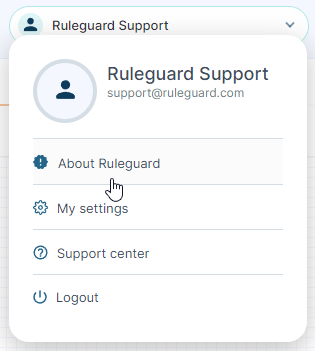
If you don’t have time to read our blog posts right away, you can access all release notes at any time by clicking the release version number in the Ruleguard Welcome menu (top right).
If you encounter any problems or have any questions about this update, please let us know at support@ruleguard.com or contact your Customer Success Manager.
Ruleguard Team