








.png?width=400&height=166&name=Webinar%20-%20June%202026%20-%20Conflicts%20(1).png)

.png?width=400&height=166&name=Webinar%20-%20The%20breach%20youll%20have%20to%20defend%20(2).png)



.png?width=400&height=166&name=Compliance%20Monitoring%20White%20Paper%20(1).png)






























.png?width=400&height=166&name=Complaints%20checklist%20(1).png)
.png?width=400&height=166&name=Checklist%20regulatory%20checklist%20(1).png)













We're pleased to announce that Ruleguard version 4.105.0 is now live!
This update contains the following changes:
Reporting (MI)
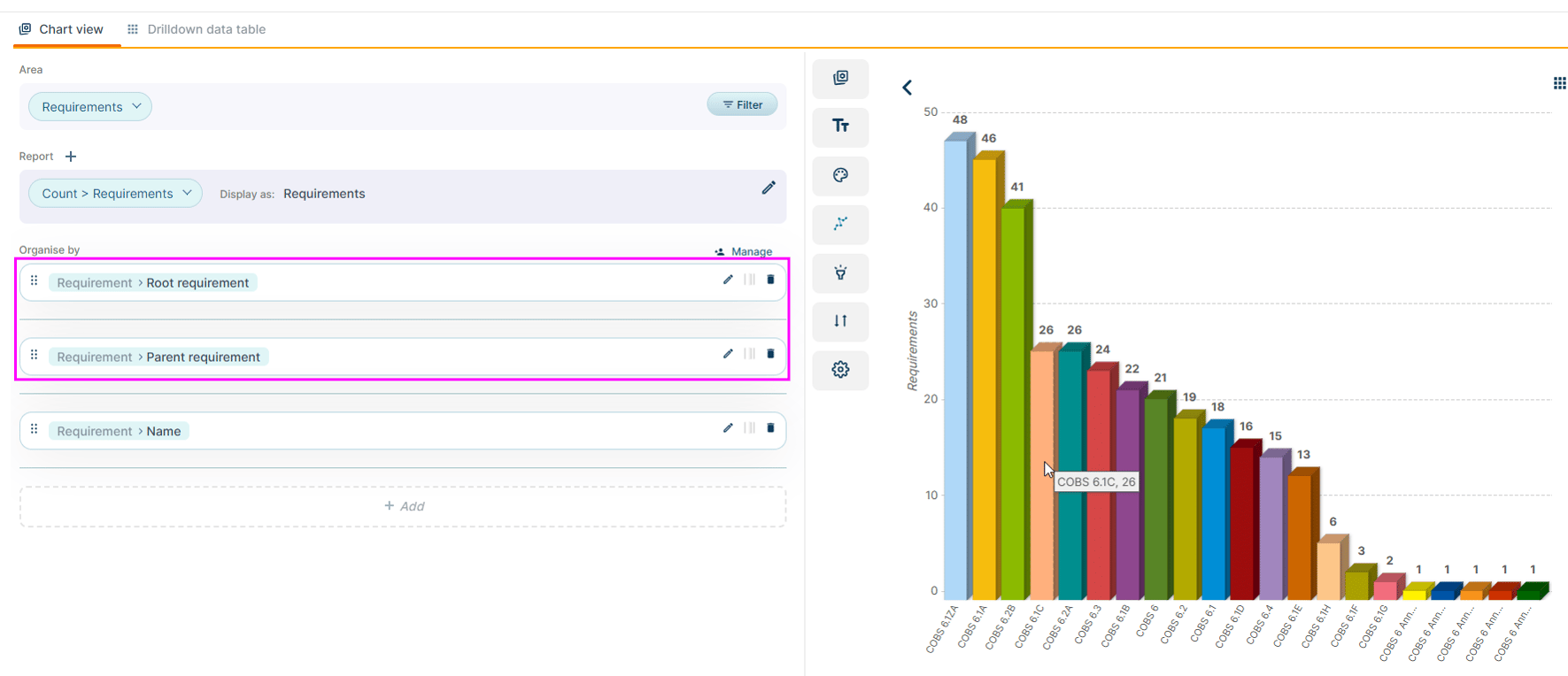
- Report by root Topic and root Requirement in MI v2. The root (highest level) Topic and Requirement are now available as attributes of a Requirement - selectable in MI, surfaceable in underlying Data Tables, and filterable by name. Useful for clean drill down where for FCA Handbook Rules by enabling drilling from Sourcebook (root) to Chapter (parent) to Rule.
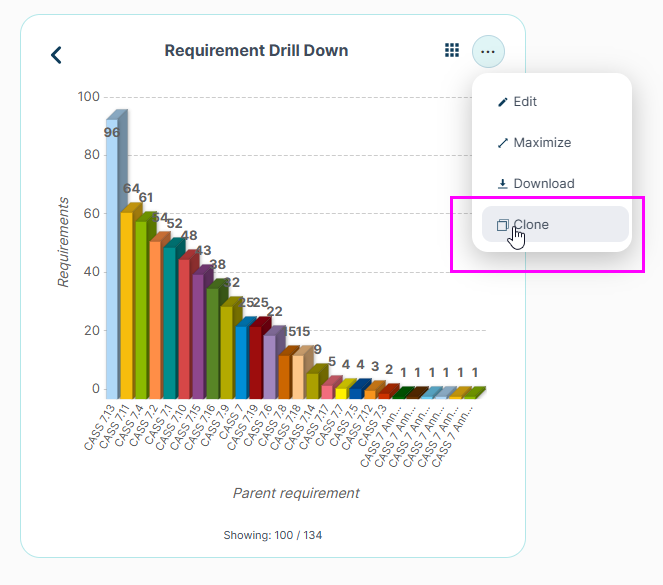
- Clone an MI Dashboard or MI Report. Clone from the Dashboard / Report list or from the Dashboard itself. Pick a name, keep or deselect individual charts, and land straight on the cloned Dashboard.
Supplier Oversight
-
Disable Automations Transition Action for off-boarding firms. A new Transition Action on Forms-type Staged Workflows lists the linked Firm's active Automations during the Transition, pre-selected for disabling. You can choose to keep any you want running - the rest will be switched off as the Transition executes. Each disabled Automation is recorded in the Automation Log and User Action history, so you can always trace which workflow turned it off.
-
The Disable Automations Transition Action is available on Forms-type Staged Workflows only, and does not operate with Auto Progress or Bulk Stage Transition.
-
Regulatory Updates
-
More accurate metadata on incoming regulatory content. Jurisdiction, Authority and Rule type on incoming content are now set directly from the content source, and Published / Removed dates are now applied to PDF content in Draft Requirements in the same way as HTML content.
General
- Minimap on large Compliance Documents. Large documents now display a right-hand minimap with a scroll window, making it much easier to navigate long documents.
- Minimap on Regulatory Change Update documents. The same minimap appears on large Regulatory Change Update documents with many changes, so you can see at a glance where changes sit and jump straight to them.
- Minimise the mandatory-field validation message. When a Transition is blocked by incomplete mandatory fields, the validation message can now be minimised while you complete the fields instead of occupying most of the visible screen on smaller displays.
- Note: The minimised state of the validation message is not remembered between card visits - it reappears expanded the next time validation is triggered
- No more notification emails to blocked email addresses. "You've been added" and Transition emails for Staged Workflow Types (including Issues) are no longer sent to blocked email addresses - preventing unwanted email chains where a blocked address auto-forwards to active Users.
- Launch Stage Workflow Actions now show the generated title. Where a Launch Stage Workflow Action is configured with a predefined title format, the Transition now displays the actual generated title rather than the placeholder format - which you can edit, to make it clearer how the new instance will be created.
- IP whitelisting requests are now actioned directly by the Ruleguard Support team through new internal management tooling (covering IPv4, IPv6 and IP ranges, with bulk CSV support) - reducing turnaround time on whitelisting changes.
- Resolved an issue where the MI "Created on > Last Full Quarter" filter excluded results from the final day of the quarter (for example 31 March). The filter now returns the same results as manually selecting the full date range.
- Resolved an issue where an MI v2 Global History count organised by Control also included Processes. The chart now returns Controls only.
- Resolved an issue where an SMF could be shown against a Person on the Person matrix — and in the matrix export — when the underlying Job Role was invalid, even though the Person card correctly showed no SMF. The matrix, export and Person card are now consistent in this use-case.
In a Rush?
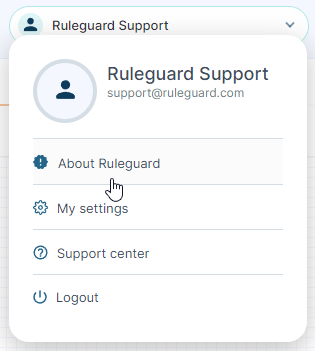
If you don’t have time to read our blog posts right away, you can access all release notes at any time by clicking the release version number in the Ruleguard Welcome menu (top right).
If you encounter any problems or have any questions about this update, please let us know at support@ruleguard.com or contact your Customer Success Manager.
Ruleguard Team