















.png?width=400&height=166&name=Compliance%20Monitoring%20White%20Paper%20(1).png)


























.png?width=400&height=166&name=Complaints%20checklist%20(1).png)
.png?width=400&height=166&name=Checklist%20regulatory%20checklist%20(1).png)
















We're pleased to announce that Ruleguard version 4.101.0 is now live!
This update contains the following changes:
Stage Workflows
- Added a File Upload Field Type that enables files to be captured as part of creating an Issue or Stage Workflow item, rather than only after the item already exists, helping teams record supporting documents and evidence from the start.
- Added a new Field Type of Data library items (Multiple selection) so that Users can select more than one Data Library Item meaning more realistic record keeping where more than one related item needs to be linked to the same workflow step (vs. creating multiple single-select Fields.
- Improved the 'Stage Field' customisation screens by adding bulk controls for editable and mandatory settings, as well as allowing fields to be added, changed, or removed from the Stage Field configuration page. This will make it far easier for Admins to maintain Stage setup where making use of that configurability.
- Improved email handling where a User was due to receive both an Assignee/Watcher/Owner added email and a Transition Email, by sending only the latter. This reduces inbox noise and better targets messages to applicable Users.
General
- Made improvements to the detail shown in history for changes to Records and Record Groups to provide clearer evidence of what changed, helping with oversight, review, and demonstrating a reliable audit trail.
- Made performance improvements to the Data Library matrix to support expanding use cases within the Ruleguard Solutions library.
- Made performance improvements to Stage Field-related API calls to make field setup and maintenance more efficient for teams managing configuration.
- Improved the size of the target area for File Uploads into File Upload Fields to make it easier to 'drop' a File, reducing UI friction when using this feature.
- Improved the formatting of Data Library Table Field matrix rendering so that large headings 'wrap' instead of truncating, improving readability during data entry.
- Increased the prominence of Tag filtering so that Tags are more visible within the main filters; this is key as they become more deeply embedded within common User setups.
- Added 'sharing' attributes, including Recipient acceptance, into MI for Topics to enable better tracking of Topic Sharing and Third-Party Oversight.
- Note: More human-readable attributes are due in a forthcoming release.
- Introduced background preparatory work for enhanced Compliance Monitoring with Plans, Activities, Audit, and Testing.
- Introduced background preparatory work for enhanced Operational Resilience with Business Services and Resources.
- Improved the handling of Inline Calculation where a Field was made 'invisible' due to Field Visibility Rules, so that up-to-date calculated values are displayed when field visibility changes.
- Resolved an issue whereby an error was being seen when reporting on Event data - Controls when 'drilling down' deeper into chart data.
- Resolved an issue whereby Task emails were blocking access from the email link by reporting permission errors. This now redirects appropriately permissioned Users to the intended Task.
- Improved the handling of a User being able to click items by being 'fast' during complex Stage Load, strengthening stage-based controls used to ensure the integrity of a workflow.
- Resolved an issue whereby some Users could not select Firms when launching a due diligence workflow, leaving the firms field blank. Users will now be able to start the workflow.
- Resolved an isolated Customer instance where an exception occurred when exporting the Topic Matrix due to an earlier fix.
- Resolved an issue where two identical Stage Transition emails were being received by a User in specific circumstances.
- Resolved an issue where both current and historical data for a Person’s Responsibilities and SMF designations were being shown within the Accountability Staged Workflow type.
- Resolved an issue whereby the Task creation Transition Action was not being fulfilled when Auto progression to the next stage was enabled.
In a Rush?
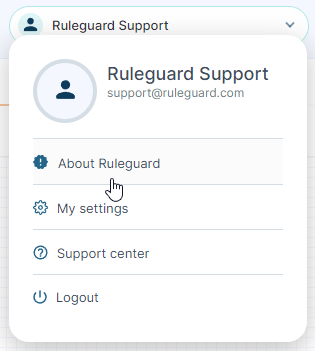
If you don’t have time to read our blog posts right away, you can access all release notes at any time by clicking the release version number in the Ruleguard Welcome menu (top right).
If you encounter any problems or have any questions about this update, please let us know at support@ruleguard.com or contact your Customer Success Manager.
Ruleguard Team