

We're pleased to announce that Ruleguard version 4.113.0 is now live!
This update contains the following changes:
Supplier Oversight
-
The Launch Stage Workflow automation action and the Schedule Stage Workflow transition action now allow you to define the Owner, Assignees and Watchers when the Workflow is launched.
-
Each can be taken from a user field on the Firm, from named users or user groups, or from a user field on the created item, and the sources add together.
-
People are picked when the automation runs, not when it is set up, so a change of relationship owner on the Firm routes every future assessment to the new person without manually having to update it.
-
Nothing is lost if a person cannot be resolved. If the Firm field is empty, the item is still created with that role unset; a user who is inactive, deleted or has no access to the workflow type is skipped.
-
Assigned people receive the usual assignment and ownership emails (unless configured not to receive them).
-
-
The token picker on a Stage Transition's custom email subject and body now includes Firm so approvers can tell which Firm's due diligence an email relates to when several are running.
-
Where the workflow has no Firm, the token is left blank and the email still sends.
-
Improved Email Alerting
-
We recently introduced a feature to enable bespoke alerting when report conditions are met, e.g. send all Risks where Risk rating is High and an amendment has been made this week.
-
It is now additionally possible to alert all Users named on each item included in that report separately, when using scheduled automations with 'Include table in email' configured (which renders the table in the email sent).
-
The new Send to section lists the user-type columns in your data selection for those items, e.g. if you have supplied a custom field such as "Supplier owner", or used the built-in Owner column, then those Users can receive their own email containing only the rows where they appear.
-
User groups are expanded to their members (each User in that group will receive their corresponding email), and a user named more than once receives just one email covering all their rows.
-
Automation owners still receive a copy showing everything.
-
Improvements & Fixes
-
Existing Document Permissions are renamed View Compliance Documents and View & Edit Compliance Documents, and continue to govern Compliance and Rule Pack documents exactly as they do today.
-
This is to make way for the Documents 2.0 feature coming soon with Ruleguard 5.
-
-
The action on a stage transition can now be edited rather than deleted and re-added.
-
Where a card's drilldown columns leave out the item that makes two rows different – for example two Controls that share the same team value – the table could show what looked like duplicates and disagree with the chart. A new Exclude duplicate rows setting in the card's data controls removes rows that are identical across the selected columns.
-
Note: It is off by default and is switched on by Ruleguard Support for the cards that need it.
-
-
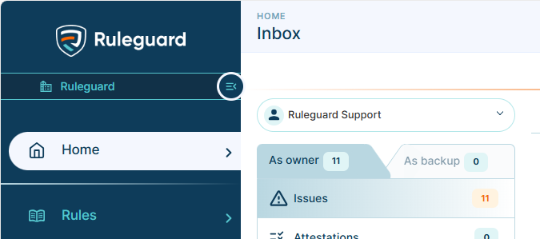
Faster Inbox – The Inbox, the notification bell and the dashboard Inbox widgets no longer recalculate every count on every visit. Counts are kept in your browser for up to 15 minutes (60 minutes for Upcoming and Waiting), and when you change something the affected group of counts is refreshed immediately.
-
The lists themselves always load fresh, Refresh on any Inbox tab always fetches live counts, all counts are recalculated after midnight, and logging out clears everything (reloaded on re-entry).
-
-
Regulatory Update content loads faster. The text read from regulatory sources is now stored separately from the database and fetched when a Requirement or update is opened, so Requirement cards and update previews load more quickly.
-
The "new columns added" message on the Firms grid no longer sticks. Resolved an issue where the warning would not go away after being accepted; it is no longer shown on the Firms grid.
-
Note: Other grids are unchanged.
-
-
The Certification Complete Email now goes only to the people it is for: the Workflow Owner, the Certification Owner, the Certified Person and their Line Manager. It is no longer sent to users who completed steps in the workflow, to alert users or to members of user groups.
In a Rush?
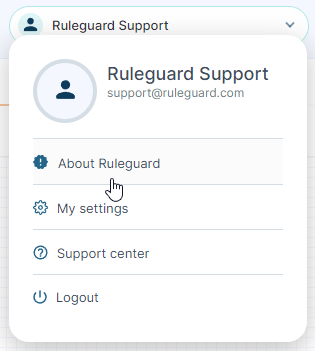
If you don't have time to read our blog posts right away, you can access all release notes at any time by clicking the release version number in the Ruleguard Welcome menu (top right).
If you encounter any problems or have any questions about this update, please let us know at support@ruleguard.com or contact your Customer Success Manager.
Ruleguard Team