

We're pleased to announce that Ruleguard version 4.111.0 is now live!
This update contains the following changes:
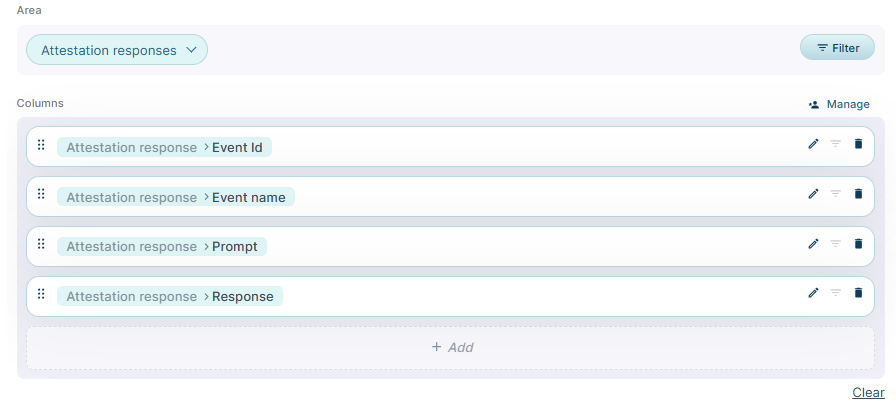
Reporting on event responses (MI)
- Report on event responses in MI
- A new Assurance > Event responses group is provided with three measures:
- All event responses
- Attestation responses
- Workflow step responses
- This moves functionality from the Event Responses Grid to the more performant and configurable MI Suite. For example, you can sum responses from numeric fields, count yes/no responses, and so on.
- Note: MI reports may be permissioned by Tag to ensure they are allocated only to permissioned Users.
- A new Assurance > Event responses group is provided with three measures:
- A new Display full path setting on any Selection (Tiered) column of an MI v2 Data Table. Turn it on and an extra column is added showing each value's full path from the top tier down, joined by
>(the same way the Matrix displays this).- Your existing bottom-tier column stays exactly as it is, so a report can carry the short value and the full context side by side.

Scoping Issue workflows to selected Firms
- Field-level control on an Issues and Stage Workflow Permission now covers Linked item fields of Firm type, so a Permission Role can be limited to the Firms named against it.
- The Firm picker is grouped by Firm type to make entities easier to find, covers both Account and External Firms, and the grouping applies to every Permission Scope available on that Permission.
- A Linked item Firm field can now be filtered to All Firms, selected Firm types or named Firms. When filtered by Firm type, the picker shows only Firms of those types and presents them as a hierarchy rather than a grid. All remains the default setting for existing fields, so nothing changes unless you choose to narrow it. If you narrow a filter later, a warning explains that Firms already selected elsewhere are not removed.
Staged Workflows
- Two new settings per Staged Workflow Type - Show in Inbox as owner and Show in Inbox as watcher - let you decide whether Owner and Watcher records appear in the Inbox for that type, so an Inbox can be organised to match how your firm actually works.
- Inbox search follows the same setting. Both default to on, so nothing changes until you turn one off.
- Assignees always appear, and Task types are not affected.
User Group Administration - Warning Text and Colours
- A User Group can carry a tooltip message, shown on hover wherever the group appears in a dropdown and wherever a list of selected User Groups is shown - including on Issue-based items, attestations and tasks. Useful for saying what a group is for at the point someone picks it.
- A User Group can be marked sensitive, which shows it in a warning style in the dropdown and distinguishes it in the list shown back to you. Both fields can be set when the group is created or added later, and a change to either is recorded in history.
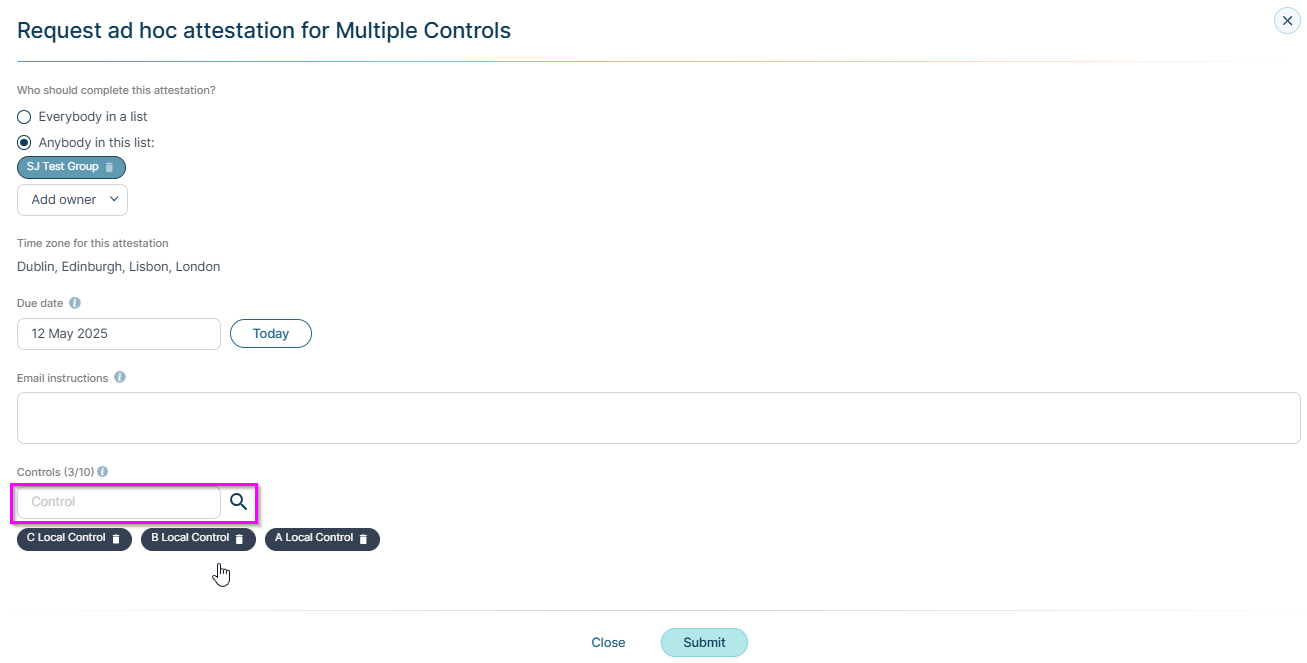
- Adding a User or User Group to the watcher, owner or assignee list on an Issue-based item now warns you that those people will receive an email.
Improvements & Fixes
- Regulatory Updates - Comparing changes in a Regulatory Update is now significantly faster especially where comparing large content that contains tables.
- Permission Roles are now required when creating an External User preventing an authorisation error for a Supplier contact used to hit on first login.
- Opening a Risk that is mapped to a shared Topic now loads the card correctly.
- The Click here to proceed to task link in a reminder email for a Solution task now takes you to the task (instead of to an authorisation error).
- A mandatory Agreement published to all users can now be accepted. Signing previously failed with a message saying the agreement version was not available for you to sign, which on a mandatory Agreement prevented sign-in.
- In a rare use-case a 'Tasklist' could appear in the Inbox a day early, showing a task count that opened onto nothing.
In a Rush?
If you don’t have time to read our blog posts right away, you can access all release notes at any time by clicking the release version number in the Ruleguard Welcome menu (top right).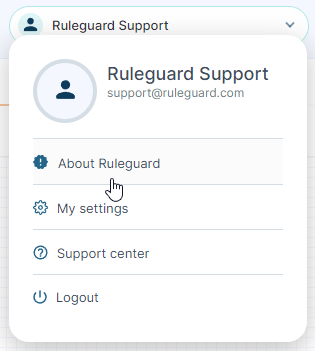
If you encounter any problems or have any questions about this update, please let us know at support@ruleguard.com or contact your Customer Success Manager.
Ruleguard Team