



We're pleased to announce that Ruleguard version 4.115.0 is now live!
This update contains the following changes:
Compliance Monitoring - Creating Monitoring Activities from a Risk Assessment
- The Launch stage workflow action can now create Monitoring Activities for you when a Risk Assessment launches a Compliance Monitoring Plan. When the Risk Assessment is approved, the new Plan already contains a Monitoring Activity for each assessment activity marked for monitoring, with its Compliance Area already selected.
- Previously, each Monitoring Activity had to be created by hand and its Compliance Area selected again, which was slow and could lead to missed activities or the wrong area.
- Administrators choose which items carry over using the same conditions as transitions. Related items, such as Controls, can also be linked to the new Plan.
- Before the transition runs, a confirmation shows what will be created or linked.
Improvements
- Custom email sender settings. Ruleguard can now set a different sender address, display name and reply-to address for emails sent to your users. This can help align with your firm’s email policies and reduce the chance of emails being flagged as spam.
- Note: This is enabled on request. Contact your Relationship Manager or support@ruleguard.com for further details.
- MI - Report on why a task rejection was requested. The Task events measure now includes columns for the rejection request comment, who requested it, when, and whether it is still pending, as well as the reviewer’s reason when a request is denied.
- The existing Rejection reason column is now called Rejection approval comments. Saved cards are unaffected.
- Default values for Data Library fields. Like other field types, Data Library fields can now have a default value, so new items open with the usual choice already selected.
- Clearer Data Library field settings. The technical checkboxes for limiting which items people can pick have been replaced by one plain-English question, with a summary of exactly what people will see.
Fixes
- Clicking outside the create window for a Staged Workflow item, such as a risk event, no longer closes it and discards what you entered.
- Control Matrix exports that use Relationships and include Attestation data now complete for longer date ranges. Previously, these exports could fail with the error “A task was cancelled.”
- When a selection or multi-select field is shared for the first time, its values now appear on the recipient’s copy after the share is accepted.
- MI drilldown tables now open for charts split by Mapped Event Owners > User > Owner group. Previously, opening one showed an error.
- Using Select all to bulk claim tasks in the inbox now correctly claims every loaded task. Previously, the most recently loaded page of tasks would not be claimed.
In a Rush?
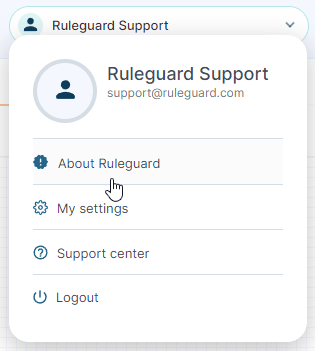
If you don't have time to read our blog posts right away, you can access all release notes at any time by clicking the release version number in the Ruleguard Welcome menu (top right).
If you encounter any problems or have any questions about this update, please let us know at support@ruleguard.com or contact your Customer Success Manager.
Ruleguard Team